If you want to design something for 3D printing without learning an engineering-grade program, SelfCAD is one of the tools you’ll likely come across. This review explains what it does, what it costs, where it works well, and where it falls short, so you can decide whether it deserves a place in your workflow.
A note on method: this article is based on publicly available product descriptions, software directory listings and pricing pages checked in October 2026. It is not a hands-on lab test, and I haven’t invented personal experiences. Prices and features change often, so confirm the details on the official site before buying.
What Is selfcad review?
SelfCAD is a 3D modeling program aimed at beginners, hobbyists, students and small businesses. It runs in a web browser, and a desktop version has also been offered. It combines several jobs that usually require separate programs: basic modeling, sculpting, 2D sketching, and slicing for 3D printers.
The search intent behind most queries like this is commercial investigation. People want to know whether the software is good enough to pay for and how it compares with alternatives. This review is organized around those decisions.
Key Features
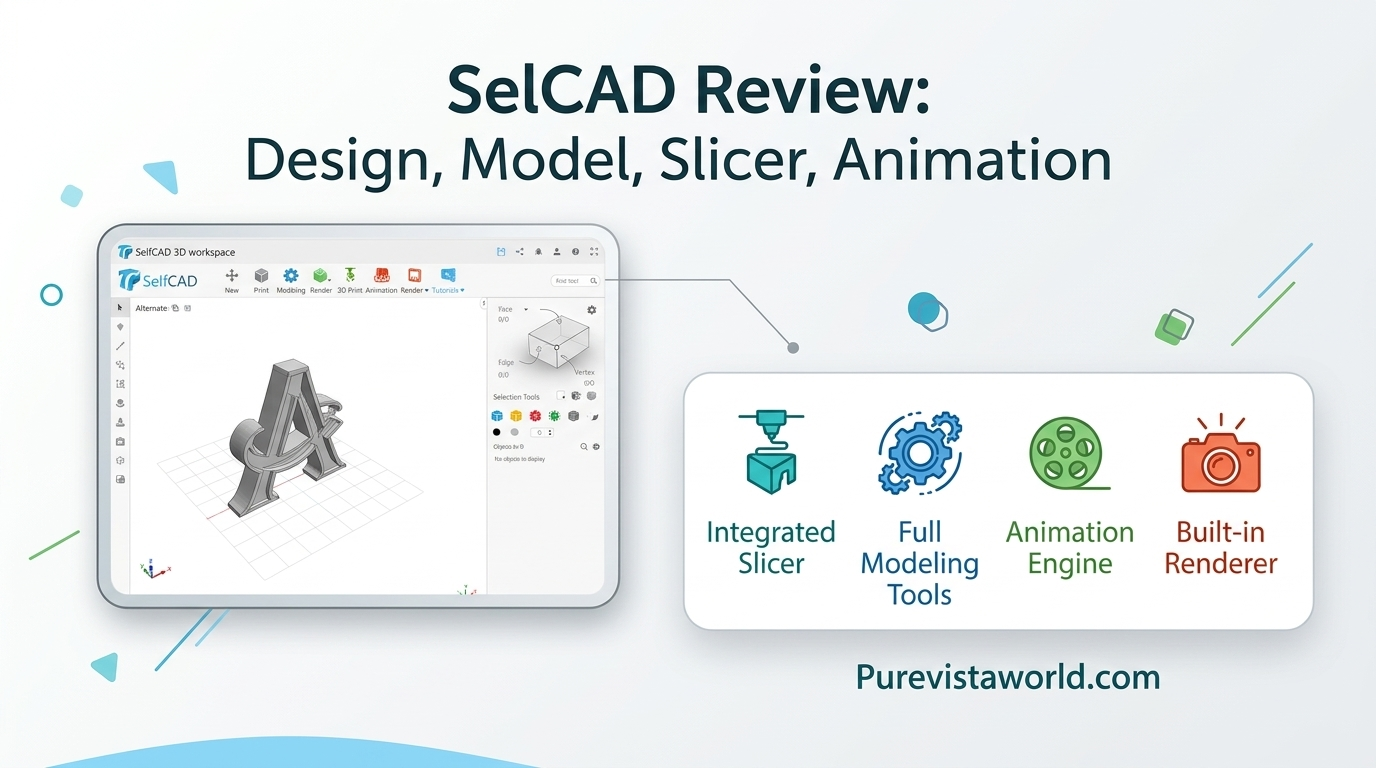
Modeling tools. SelfCAD’s core is a set of shape-based tools. You start with primitives such as cubes and cylinders, then combine, cut, bend, twist and reshape them. Directory descriptions highlight its direct mesh editing, which means you push and pull the surface of a model instead of building it from a rigid history of dimensioned sketches.
Sketch-to-3D. You can draw a 2D outline and extrude or revolve it into a solid. This suits logos, brackets, simple enclosures and decorative objects.
Sculpting. A sculpting mode lets you work the surface more like digital clay. It is useful for organic shapes such as figurines, but it is not a replacement for dedicated sculpting programs used in film and games.
Built-in slicer. This is arguably its most practical feature for 3D printing. You can prepare a model for printing without exporting it to a separate slicer first. Experienced printer owners often still prefer their own slicer profiles, but for newcomers one fewer program is a real advantage.
Import and export. SelfCAD supports common 3D file formats, so you can repair or modify models downloaded from community libraries and export finished designs for printing.
Some listings also mention newer additions such as AI-assisted tools. Because these features change quickly, check the current feature list before treating them as a reason to buy.
How SelfCAD Works in Practice
The typical workflow is simple. Open a project, place a primitive or draw a sketch, adjust it with the transform and shape tools, and then either export the file or slice it right away. The interface stays fairly approachable because the tools are grouped by task instead of buried in engineering-style menus.
The tradeoff is precision. SelfCAD is not built around the parametric workflow found in tools like Fusion or SolidWorks, where changing one dimension automatically updates a whole assembly. That matters if you plan to make functional parts with tight tolerances or revise designs repeatedly.
Pricing: What You Can Confirm and What You Can’t
Pricing is the trickiest part of any SelfCAD review, because public sources disagree.
One software directory lists a Pro plan at $14.99 per month or $139.99 billed annually, plus a $599 one-time perpetual license, with a free version for students and hobbyists. Another comparison site lists a free tier, a Basic plan at around $10 per month, and a Pro plan around $25 per month. These can’t all be current.
The practical lesson is to treat third-party prices as rough guides only. SelfCAD has historically offered a free trial, but the plan names, limits and discounts have shifted over time. Check the official pricing page, and confirm whether your plan includes the slicer, export options and project limits you need.
Strengths
SelfCAD’s biggest advantage is accessibility. A browser-based tool means no heavy installation and no need for a powerful workstation. That helps students, school labs and anyone working on a modest laptop.
The second advantage is the all-in-one design. Modeling, sculpting and slicing in a single place shortens the path from idea to printed object, which matters for beginners who get lost moving files between programs.
Third, the cost is lower than professional CAD suites. For a hobbyist who prints occasionally, a modest monthly fee or the free tier is easier to justify than a full engineering subscription.
Limitations
The main limitation is depth. If you need assemblies, detailed technical drawings, simulation or strict parametric control, SelfCAD is the wrong category of tool.
A browser-based program can also feel slower with very dense meshes, and it depends on a stable connection and a reasonably capable browser. Anyone who regularly works with large, complex models should test performance on a real project before committing.
Finally, the learning resources and community are smaller than those around Tinkercad or Blender. You may find fewer third-party tutorials when you get stuck.
SelfCAD vs. Common Alternatives
Tinkercad is simpler and completely free, which makes it a better starting point for children and absolute beginners. SelfCAD offers more room to grow, especially for sculpting and slicing.
Blender is free and far more powerful for sculpting, animation and rendering, but its learning curve is steep. It makes sense if you want to invest weeks of learning time.
Fusion suits functional design with precise dimensions and revisions. It is stronger for engineering, but pricier and harder to learn for casual projects.
OpenSCAD appeals to people who prefer to define shapes with code. It is precise and free, yet unfriendly to anyone who wants to model visually.
SelfCAD sits in the middle: more capable than Tinkercad, easier than Blender or Fusion, and less precise than both engineering tools.
Who Should Use SelfCAD?
It fits students, teachers, hobbyists, makers who print decorative or simple functional items, and small sellers who customize products. It is a weaker fit for mechanical engineers, product designers delivering manufacturing drawings, and professional character artists.
A sensible approach is to take advantage of the free option or trial, recreate a project you’ve already made elsewhere, and judge it on three points: how quickly you finish, how clean the exported file prints, and whether you hit a limit you can’t work around.
Common Mistakes to Avoid
Don’t buy an annual plan before testing your real workload. Don’t assume every feature you see in a video is included in every tier. And don’t expect precise, dimension-driven modeling from a tool designed around freeform editing. Before printing, always check wall thickness and model integrity in the slicer, whatever program created the file.
Frequently Asked Questions
Is SelfCAD free?
There has been a free option or trial, often described as aimed at students and hobbyists, but its limits may differ by plan. Check the current terms on the official site.
Is SelfCAD good for beginners?
Yes, in general. The interface is approachable and the all-in-one setup reduces confusion. Absolute beginners and young children may find Tinkercad even simpler.
Can SelfCAD replace Fusion or SolidWorks?
Not for engineering work. It lacks the parametric, assembly-focused approach those tools are known for.
Does SelfCAD include a slicer?
Yes, a built-in slicer is one of its main features, though many experienced printer users still prefer their own preferred slicer.
Is SelfCAD worth paying for?
It can be if you value an easy, all-in-one tool for printing-focused projects. If you only need basic shapes, a free alternative may be enough.
Final Verdict
SelfCAD is a practical, approachable choice for people who want to model and print without a steep learning curve. Its all-in-one design is its strongest point, and its limited precision is its main weakness. Test it with a real project, verify current pricing on the official site, and choose a more specialized tool only if your work demands it.